


- Home
- A-Z Catalogue
- Products
- Valves
- Cetop
- Manual Directional Valves
- Proportional Valves
- Poppet Valves
- High-Speed Linear Servo Valves
- All High-Speed Linear Servo Valves
- Cetop 10 (NG32) Two Stage Type High Speed Linear Servo Valves – LSVHG-10
- Cetop 10 (NG32) Two Stage Type High Speed Linear Servo Valves – LSVHG-10 (With Fail-Safe)
- Cetop 8 (NG25) Two Stage Type High Speed Linear Servo Valves – LSVHG-06
- Cetop 8 (NG25) Two Stage Type High Speed Linear Servo Valves – LSVHG-06 (With Fail-Safe)
- Cetop 7 (NG16) Two Stage Type High Speed Linear Servo Valves – LSVHG-04
- Cetop 7 (NG16) Two Stage Type High Speed Linear Servo Valves – LSVHG-04 (With Fail-Safe)
- Cetop 5 (NG10) Direct Type High Speed Linear Servo Valves – LSVG-03
- Cetop 5 (NG10) OBE Type Direct Operated Linear Servo Valves – LSVG-03-EH
- Cetop 3 (NG6) OBE Type Direct Operated Linear Servo Valves – LSVG-01-EH
- Pumps
- Pressure control
- Flow Control Valves
- Pressure Control Valves
- All Pressure Control Valves
- Brake Valves
- Direct Relief Valve
- Low Noise Solenoid Controlled Relief Valves
- Low Noise Pilot Operated Relief Valves
- Pilot Operated Relief Valves
- Pressure reducing and relieving valves
- Pressure reducing and check valves
- Pressure control valves
- Remote Control Relief Valves
- Solenoid Controlled Relief Valves – BSG
- Solenoid Controlled Relief Valves – BST
- Unloading relief valves
- Check valves
- Environmental
- Valves
- Hydraulic Systems
- Power pack
- About Us
- Contact
- Blog

10 Tips for Choosing a Digital Spirit Level?
Choosing the right Digital Spirit Level is not simply about buying the model with the brightest screen. A reliable choice begins with measurement needs, working conditions, and acceptable error. Accuracy matters on a tiled wall, a steel frame, or a sloping drainage pipe. So does readability. A small display can become frustrating under strong workshop lighting.
Measurement scientist John R. Taylor offers a useful reminder: “A measurement is meaningful only when its uncertainty is understood.” That principle belongs at the center of this guide. The ten tips will examine accuracy ratings, calibration procedures, sensor quality, display design, battery life, durability, and digital features. They will also consider practical details, such as magnetic bases, audible alerts, waterproof protection, and angle memory. These features sound impressive. They are not equally valuable for every user.
Real work often exposes the difference. A level may read perfectly on a clean bench, then behave poorly after dust enters its buttons. A magnetic base may hold firmly, yet scratch painted steel. I have seen users trust a digital reading without checking the surface or recalibrating the tool. That is an avoidable mistake. Sometimes, a simple bubble vial remains useful. No tool is perfect. Temperature, impact, battery condition, and handling can influence results. This guide therefore encourages careful comparison, realistic expectations, and a brief verification before important installation work. The best Digital Spirit Level is not the most expensive one. It is the one that delivers dependable readings in your actual environment.
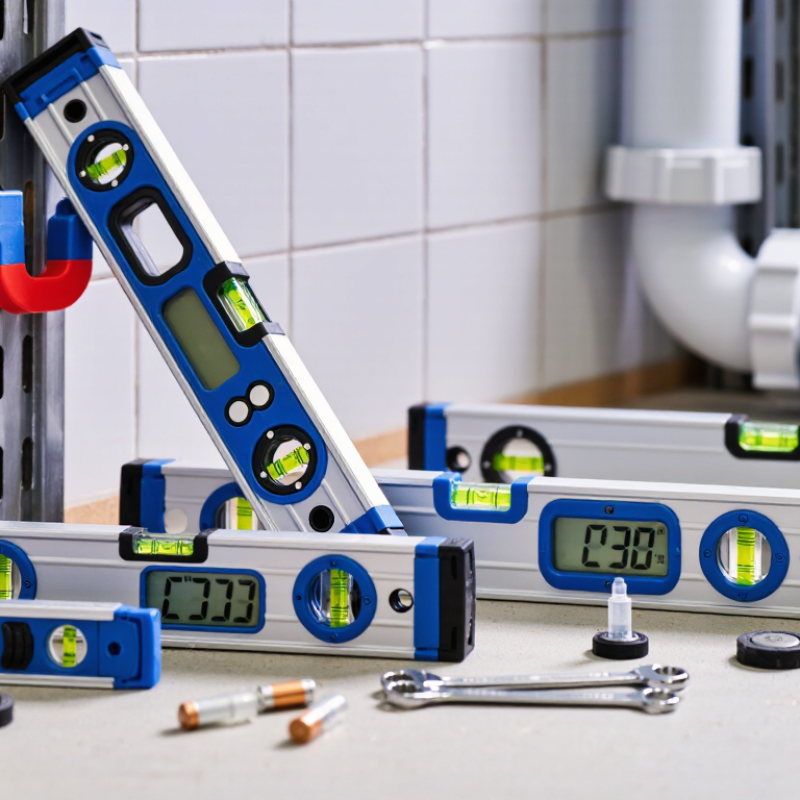
Table of Contents [Hide]
Define the Accuracy and Measurement Needs for Your Projects
Choosing a digital spirit level begins with the project, not the display. Define the accuracy you actually need. Cabinet installation may require around ±0.1° per meter, while basic framing can tolerate more variation. Check the manufacturer’s stated tolerance and measurement range. Resolution is different from accuracy. A screen showing 0.01° does not guarantee 0.01° precision.
Tip 1: Match the tool to the surface and distance. A short level suits shelves and window frames. A longer model helps detect gradual slopes across floors or countertops. Measure both horizontal and vertical surfaces. For drainage work, confirm whether the level supports percentage or pitch readings. That small detail can prevent repeated calculations on site.
Tip 2: Test before trusting. Place the level on a stable surface, record the reading, then rotate it 180 degrees. The result should remain nearly consistent. I once skipped this check and adjusted a cabinet twice. The tool was not broken, but my confidence was misplaced. Temperature, dust, battery condition, and an uneven base can also affect readings.
Tip 3: Consider practical measurement needs. Choose clear digits, useful sound alerts, and a hold function when visibility is poor. Waterproof protection matters near wet construction areas, but it does not excuse careless storage. Calibration instructions should be understandable and repeatable. If your work has strict tolerances, keep a simple verification record. Digital convenience helps, yet physical judgment still matters.